OrtoRentgen
Measure angles on a radiograph
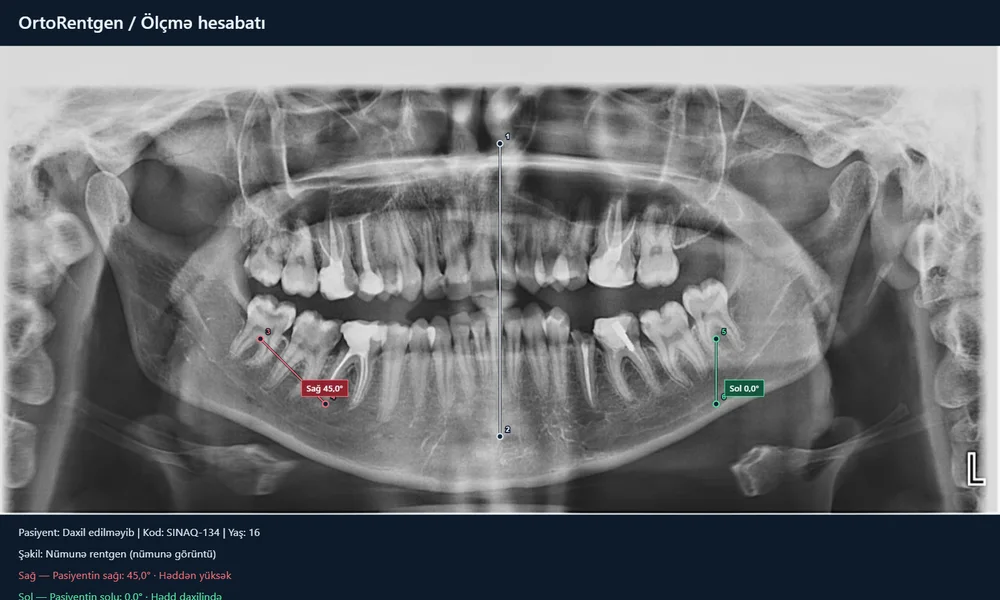
Use OrtoRentgen to mark the midline and two tooth axes on a panoramic radiograph, measure angles and save your results.
Open the toolThe original tool interface is in Azerbaijani. JPG, PNG, WebP and BMP are supported; DICOM is not supported.
01
Your image stays on your device
Radiographs and patient details are not sent to the server. Processing takes place in your browser; save the project to your device to continue later.
02
Three lines, six points
Open an image, choose the age and R/L orientation. Place two points on the midline and on each tooth axis.
03
Take your results with you
Save projects as JSON and reports as PNG or CSV. Create a PDF through the print menu.